Image SEO Essentials for Blog Optimization: Preventing Low-Quality Penalties and Conversion Tips
We provide detailed guidance on Image SEO optimization to maximize search visibility and address image usage issues that cause low-quality blog ratings. Learn how to improve the fundamental SEO performance of your blog images by renaming files, converting JPG/PNG to WebP, and setting essential ALT attributes.
Analyzing Image Issues That Lead to Low-Quality Blog Ratings
When using downloaded images or those created by others, some bloggers attempt to modify the image metadata to pass them off as their own creations. However, these image optimization efforts are largely ineffective. Below are the essential facts you need to know and strategies to mitigate low-quality image issues, even if they aren't a perfect fix for all penalty types.
Modifying the metadata (EXIF data) of an image file does not significantly impact how search engines judge its originality. Search engines prioritize the pixel composition of the image itself, the surrounding text, and most importantly, the ALT attribute.
Unauthorized use of others' images or merely editing metadata is not a fundamental solution; it can lead to copyright issues and decrease your credibility with search engines. The biggest factor in low-quality ranking penalties is the repeated use of unoriginal images.
Images are used in blogs not only to aid user understanding but also to create more opportunities for exposure. To add these exposure elements, you need precise Image SEO work that prompts search engines to recognize the image as a unique creation.
Creating original images from scratch is not easy, and editing them can be time-consuming. Instead, apply the following core blog image optimization methods to create search-engine-friendly content.
Securing Originality by Converting Text to Images
The primary reason for blog penalties related to images is the use of unoriginal content. If creating original photos is difficult, we recommend securing originality by converting key text-based information into images. Visualizing core phrases or summaries, as shown in the example below, improves content readability while increasing the likelihood that search engines will perceive the image as unique.

Certain items gain better search exposurespecifically popular keywords related to daily life, travel, and food. However, some categories, such as IT, are naturally more difficult to rank. If you are writing for a niche or low-interest content blog, achieving search visibility will be challenging. The reason for utilizing images in a blog is to increase user understanding and boost the weight of the image itself as an additional search exposure element.
Image File Format Optimization: WebP Conversion and Web Performance
Optimizing images through file naming, conversion, and ALT attribute configuration is essential for boosting your blog's performance and SEO score. Improving web performance by optimizing images directly influences your Google Core Web Vitals score. Enhancing page load speed is the heart of SEO.
Converting Image File Formats to WebP
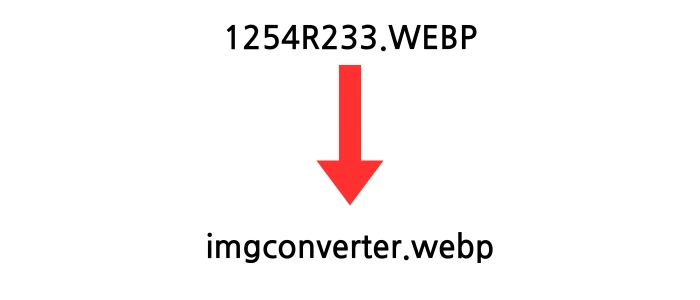
If you must use third-party assets (within the scope of fair use and no copyright issues), do not use the downloaded files as-is. Instead, change the file format. It is highly recommended to convert existing JPG or PNG files into WebP format.

You can easily convert files using sites like PNG TO WEBP CONVERTER. WebP files offer superior compression compared to JPG or PNG while maintaining high quality, which is critical for improving page load speeds. Converting to low-capacity, high-quality images drastically improves the user experience.
The use of low-capacity, high-quality WebP files is a Google-recommended practice. This improves the Largest Contentful Paint (LCP) metric within Core Web Vitals, enhancing the overall user experience.
Optimizing Image File Names (Renaming)
Change image file names to specifically match the topic and content of your post. File names are one of the important initial clues search engines use to identify an image. For example, instead of 'IMG_1234.jpg,' you should rename it to something like 'blog-image-optimization-guide.webp' to include core keywords. This is fundamental Image SEO work that increases the probability of appearing in image search results.
| File Name Type | Example | SEO Evaluation |
|---|---|---|
| Inefficient | image_001.jpg | Very Low (No information) |
| Efficient | blog-image-alt-attribute-setup.webp | High (Contains specific keywords) |
Completing Image Attribute Settings: Utilizing ALT and data-alt Attributes
Correctly setting image attributes is vital not only for accessibility for visually impaired users but also for Search Engine Optimization (SEO). When using images in a blog, it is best to set both the alt attribute (alternative text) and the data-alt attribute. This allows search engines to understand the image content more accurately, increasing the chances of ranking.
Mandatory Attribute: ALT Attribute (Alternative Text) Guide
The ALT attribute is a requirement that explains the content of an image to users who cannot see it and to search engine crawlers. If the image is directly relevant to the content, you must include specific keywords in the description. This is the key element for increasing exposure in image searches. ALT text should be concise and descriptive; avoid excessive keyword repetition to prevent being flagged as image spam.
Optional Attribute: data-alt and Handling Decorative Elements
While the alt attribute is mandatory, the data-alt attribute can be optional. If an image is used solely as a decorative element (e.g., separators, simple backgrounds, or ornaments) without relevance to the text content, you may skip detailed descriptions. In such cases, the best practice for accessibility is to leave the alt attribute empty (`alt=""`) so that screen readers skip unnecessary descriptions. Omitting ALT text for non-essential images is an important part of web accessibility optimization.

Q1. Does modifying image metadata (EXIF) actually help SEO?
A: Compared to the file name, ALT attribute, and the actual pixel data of the image, modifying metadata has a very negligible impact on SEO. Search engines prioritize the image content, ALT attribute, and the context of the surrounding text much more. Therefore, instead of spending time on metadata, it is far more effective to focus on file format conversion (WebP) and writing descriptive ALT attributes.
Q2. Are WebP files compatible with all browsers?
A: Most modern web browsers (Chrome, Firefox, Edge, Safari, etc.) fully support the WebP format. However, if you want to support older browsers or specific environments, the safest way to handle image compatibility is to use the HTML picture tag to provide JPG or PNG fallback files. This is the standard web development method for ensuring image compatibility.
Q3. What is the best way to completely prevent blog image penalties?
A: There is no single method to completely guarantee the prevention of penalties. However, the most reliable way to minimize issues is to use original, self-created images, apply specific file names and ALT attributes containing core keywords, and always use low-capacity, high-quality WebP files. This clearly signals to search engines that the image is a vital and unique part of your content.